





Anti virus scanner

Business end devices
Microsoft Defender is generally enabled on the managed business Windows PCs. Microsoft Defender is the proprietary virus protection tool that is integrated into the "Windows Security" app.
- On all AD-integrated standard Windows PCs (with or without SCCM Client) the Microsoft Defender for Endpoint*) variant is automatically installed. is automatically installed.
- Standalone Windows PCs (no AD join, no SCCM client) should use the pre-installed Windows Defender. It is activated automatically if no other antivirus programme is active.
- For macOS devices, we recommend the Xprotect antivirus offered by Apple: https://support.apple.com/en-gb/guide/security/sec469d47bd8/web
- Open the "Windows Security" app
- "Virus & threat protection"
- "Who protects me" - "Manage providers"
- The following should be displayed: "Microsoft Defender Antivirus is turned on"
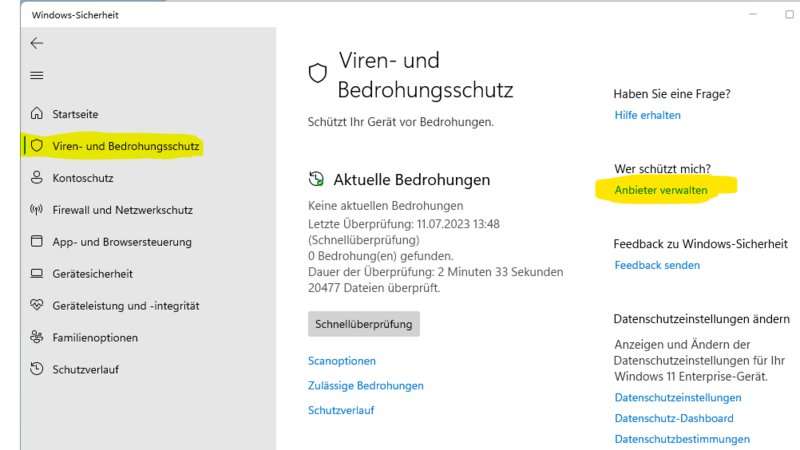
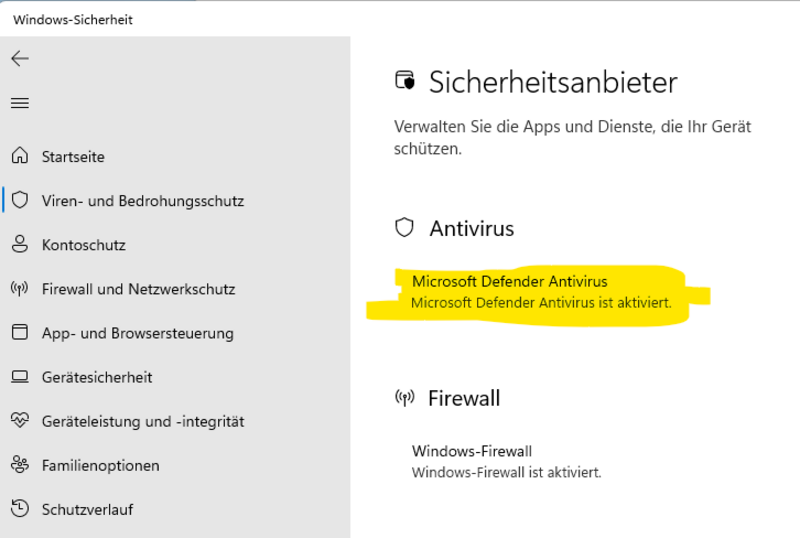
Microsoft Defender for Endpoint is an extended virus protection that enables central configuration and administration by the IT service center. You will not find the term "Defender for Endpoint" in the Windows Security app.
You can indirectly recognise that it is enabled, for example, by the fact that you cannot change the settings for virus & threat protection, as they are administered centrally by the IT service center. Note: "Tamper protection prevents changes to this setting."
- Open the "Windows Security" app
- "Virus & threat protection"
- "Manage settings"
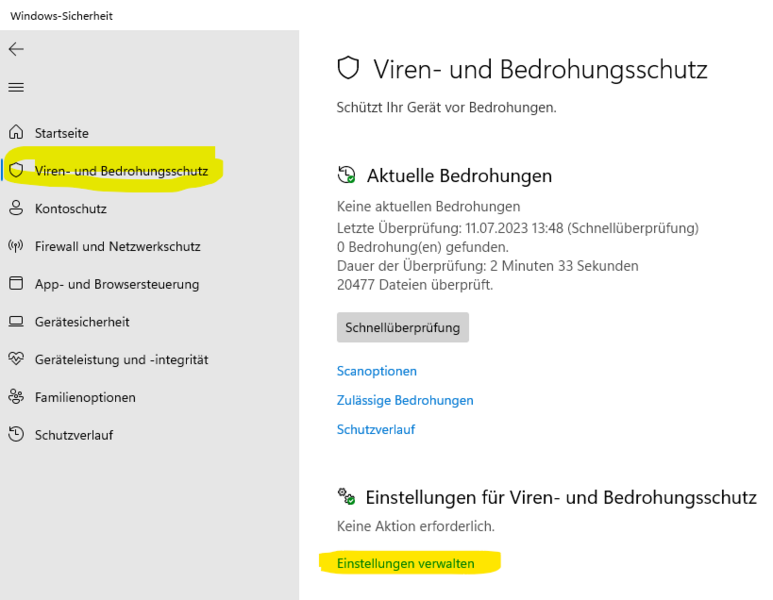
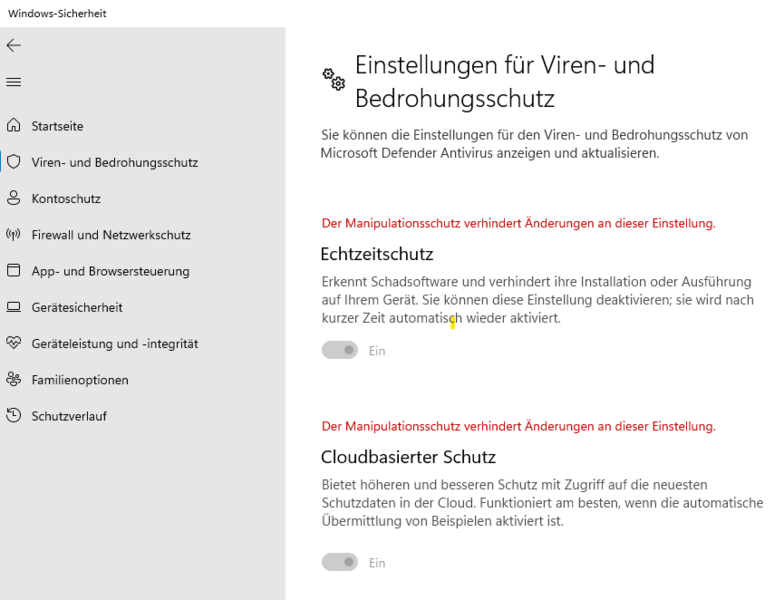
Further information on IT security
We would like to point out that a virus scanner alone is no guarantee of avoiding virus attacks. Careful handling of e-mails of unknown origin or content and of external files and storage media is absolutely essential.
Please also observe the 11 Golden Rules for increasing IT security.




